
Kiro starts thinking
Floating status pet for Kiro
Kiro Buddy
A cute desktop companion that reacts to Kiro agent activity: working, asking for input, done, errors, and spec-driven design phases.
Unofficial community project made by Jagatees. Kiro Buddy is not assigned, sponsored, endorsed, or maintained by AWS.
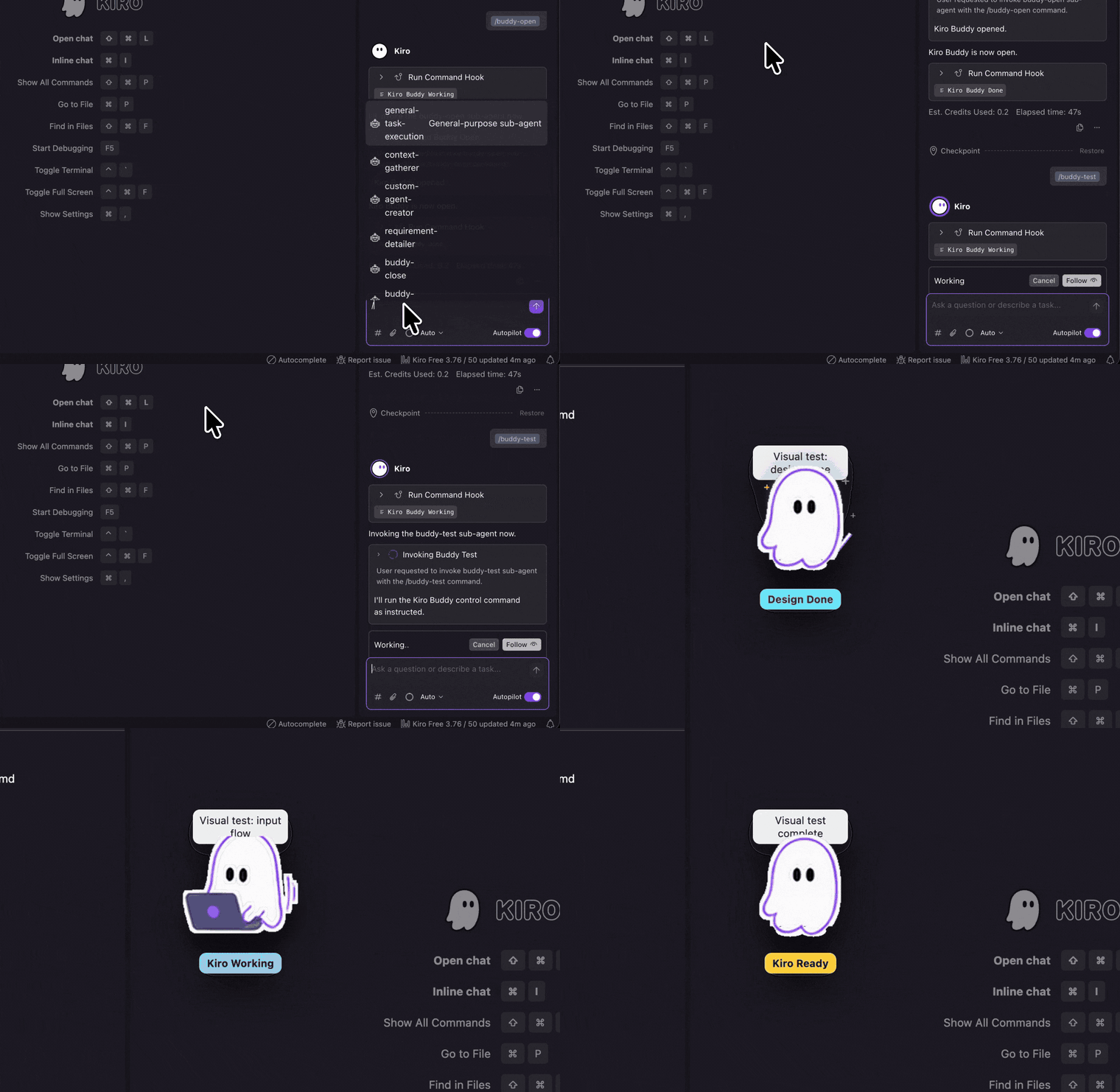
Kiro Working

Prompt is running000
Waiting for your input
Agent run completed
Design, Requirements, Task List
Kiro IDE Buddy
A small visual signal for long agent runs.
Watch Buddy react inside Kiro while the command hook moves through working, asking, done, and spec-phase states.
Kiro IDE setup
One installer command for Kiro IDE.
macOS and Windows use the same Buddy installer. Open your Kiro project folder in Terminal or PowerShell, run the command once, then use the slash commands inside Kiro IDE chat.
Kiro CLI setup
One Buddy CLI hook flow for Terminal.
macOS and Windows use the same Buddy CLI hook commands after Kiro CLI login. Prepare your project folder in Terminal or PowerShell, then run the shared hook flow from that folder.
Global command
Install once globally for shorter commands.
This is optional. Use it if you prefer `kiro-buddy` commands instead of running `npx -y @jagatees/kiro-buddy` every time.
Terminal
$ npm install -g @jagatees/kiro-buddy$ kiro-buddy install$ kiro-buddy cli install$ kiro-buddy cli open
Desktop companion
A small floating Buddy stays on top while Kiro runs, so agent state is visible without checking logs.
Hook powered
Install writes Kiro Agent Hooks, slash agents, and a status runner into the current workspace.
Phase aware
Buddy can show working, asking, done, error, and spec-driven Design, Requirements, or Task List states.